
Building & Automation
Lightyear Frontier Automation Guide
In 1.0, Automation Pipes replace the old Automator. Pipes pull ingredients from Storage and feed crafting or other Storage; one crafting building can queue up to three recipes and skip a recipe when an ingredient is missing. Automation unlocks at Milestone 4, and Storage Item Filters keep outputs sorted.
Scope: The 1.0 pipe and filter behavior is from the official patch notes. The energy and water framework is described by the wiki’s 0.8 Automation Update, which 1.0 keeps and adjusts. Exact pipe-length rules, generator output values and UI steps were not published.
On this page
What automation is in 1.0
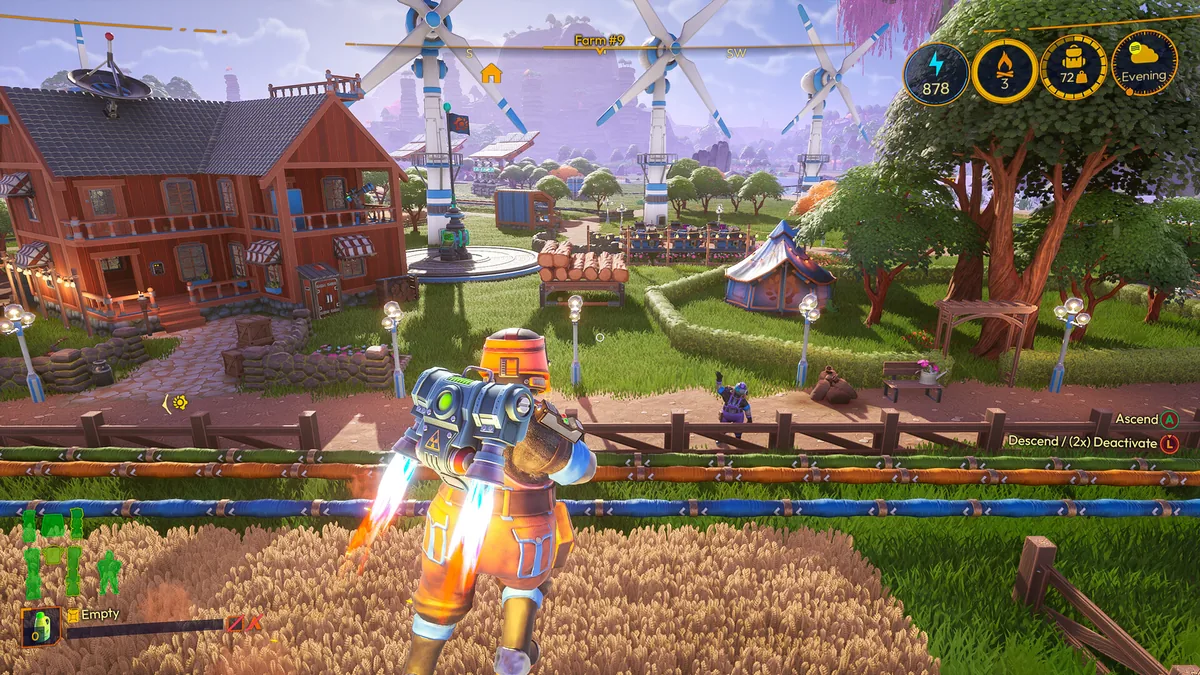
The automation system has three practical parts: item movement, crafting and utilities. Automation Pipes move resources between Storage and crafting buildings. Multi-recipe auto-crafting lets one building work through a short recipe queue. Energy powers the network, and water is delivered separately to irrigation and animal troughs.
The old Automator is gone in 1.0. Guides that tell you to build an Automator and connect it to a machine are describing 0.8–0.8.2176, not the current build. The current equivalent is a pipe connection from Storage to the crafting building.
Build a minimal auto-crafting line
Start with one input Storage, one crafting building and one output Storage. Put the ingredients in the input Storage, connect a pipe to the crafter, and connect the crafter’s output to the second Storage. Once the connection exists, the building can pull what it needs without you carrying each stack.
Add recipes one at a time. In 1.0, a crafting building can queue up to three recipes; if an ingredient is missing, it skips that recipe and continues to the next. That makes a queue useful for a mixed production line, but it also means a missing input can silently change what the building makes next. Check the queue after adding a new recipe.
- Place an input Storage and a crafting building close together.
- Connect an Automation Pipe from the Storage to the crafter.
- Add the first recipe and confirm the crafter receives the input.
- Connect the output to a second Storage.
- Add up to two more recipes only after the first line is stable.
Storage filters and sorted outputs
1.0 adds Storage Item Filters with Accept and Deny modes. Use Accept on a storage that should hold only one output, and Deny on a shared storage that should not receive a specific item. This is the cleanest way to stop a pipe from filling the wrong box.
The filter is a per-storage rule, not a global sorting system. Label the storage by its job—ore, bars, seeds, food—and set the filter before connecting the pipe. If a line stops accepting items, check the filter before rebuilding the pipe.
Energy: global supply, 2.5× speed
The wiki’s Automation Update page describes energy as a global network: available energy is produced and consumed across the base, and buildings do not need to sit inside the farm range to receive it. When supply meets demand, buildings and drones run at roughly 2.5× speed; when it does not, they fall back to normal speed rather than stopping.
That is a 0.8 framework that 1.0 keeps. The 1.0 patch notes adjust generator output, but the accessible sources do not publish a complete generator table. Build one generator, check the energy panel, then add demand in small steps instead of guessing a ratio.
Water: pump, reservoir and drone station
The 0.8 Automation Update uses an Automated Water Pump placed next to a river, lake or ocean. Pipes carry water to a Water Reservoir and then to Watering Drone Stations and Water Troughs. Drone Stations no longer burn fuel; they use energy. The same water loop can feed irrigation and animals.
1.0 fixed a Water Reservoir output issue: existing pipe connections from the output no longer function, so rebuild that connection after the update. If a farm suddenly stops watering after 1.0, check the reservoir output first.
Old Automator and current limits
The old Automator is useful only as history. It was a 0.8 machine that pulled from storage and crafted on a loop; 1.0 replaced it with direct pipe connections and recipe queues. Do not combine an old tutorial’s Automator layout with the 1.0 pipe system.
Automation still has practical limits. The automation milestone is later than the first farm, and the 1.0 review notes that outpost borders can constrain a large layout. The exact pipe length, vertical rules and maximum network size are not published; test a short run before building a base-wide grid.
Questions
Common questions
When does automation unlock in 1.0?
Automation starts at Milestone 4 in 1.0. Old guides that say Milestone 9 are describing the pre-1.0 progression.
What replaced the Automator?
Automation Pipes replace the Automator. Pipes move items directly from Storage to crafting buildings or other Storage; the old Automator machine is not part of the 1.0 build.
Do drones still need fuel?
The wiki’s 0.8 Automation Update says Drone Stations no longer need fuel and use Energy instead. 1.0 keeps the energy framework; the mech fuel economy is separate.
Why did my water stop after 1.0?
1.0 changed the Water Reservoir output, and existing pipe connections from that output no longer function. Rebuild the connection from the reservoir output to the rest of the water line.
Sources
What this page is based on
- Official 1.0 launch notes ↗Pipes replace Automators, multi-recipe crafting, storage filters and Milestone 4 unlock.
- wiki.gg – Automation ↗0.8 energy, water and drone framework; the page predates the 1.0 pipe replacement.
- Official Automation Update ↗0.8 automation design and water/energy details.
- GamingBolt – 1.0 review ↗1.0 observation on automation timing and outpost-border limits.
Facts checked